
Vikunja Tasks on TRMNL
I wanted a simple way to see the tasks from my Vikunja instance on my TRMNL e-paper display. The result is Vikunja Tasks, a private TRMNL plugin that fetches tasks directly from Vikunja and displays them as a compact list.
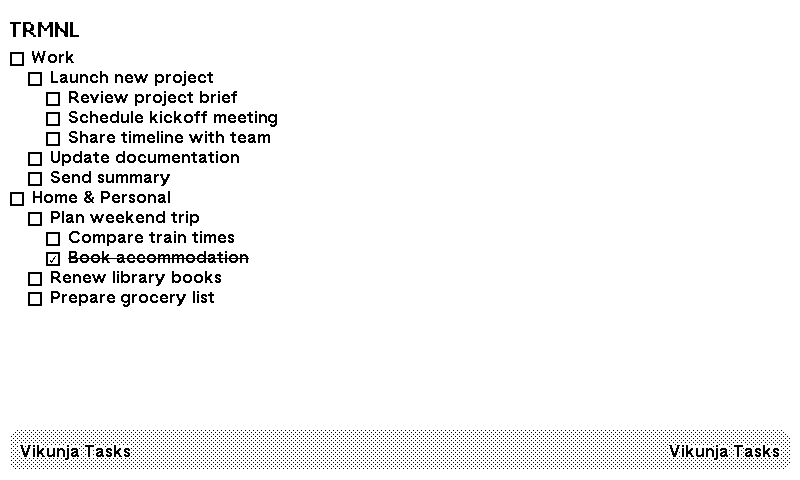
The plugin groups tasks under their project names, shows subtasks with indentation and uses the manual order from the selected Vikunja list view. It can also show tasks completed today with checked boxes and strike-through text. An optional Vikunja filter, such as priority >= 3, narrows down what appears on the screen.
It supports full-screen, half-screen and quadrant layouts. The full-screen layout uses two columns, flowing from top to bottom in the left column before continuing on the right.
Configuration
The plugin needs the Vikunja server address, an API token and the project and view IDs. Both IDs can be found in the URL when a project view is open. For example, in https://vikunja.example.com/projects/8/53, the project ID is 8 and the view ID is 53. Enter them as 8:53 in the plugin settings. Multiple project and view pairs can be separated with commas.
There is a switch for completed-today tasks and an optional advanced filter. The plugin polls Vikunja directly, without a separate serverless script. The server needs to be reachable by TRMNL and the token needs read access to the selected projects and tasks.
The current version supports up to six projects and two levels of subtasks. It fetches the first page of results, with up to 100 tasks per request, and content that does not fit on the screen is clipped.
References
- Vikunja Tasks for TRMNL on GitHub — source code and releases.