
Hugo on Vercel
After the Cloudflare Pages detour, I tried Vercel. I wanted a host that felt “boring” in the best way: connect a repo, run Hugo, attach a domain and move on. The Cloudflare story is here if you want the full context Hugo on Cloudflare Pages.

Vercel - after Cloudflare pages, somehow worse experience. The interface felt clunky and inconsistent compared with Cloudflare Pages. I kept getting the feeling that I was fighting the UI instead of just deploying a site. But hey, after all if the things are working, they UI does not have to polished. but only after a few sharp corners.
The first pain: old Hugo
My baseline build command for Hugo is:
hugo --gcOn Vercel, the initial build log showed:
Installing Hugo version 0.58.2That version is ancient for a site that uses modern theme modules and Hugo Pipes. I knew immediately that the default build environment wasn’t aligned with my repo.
I set the version explicitly with an environment variable:
HUGO_VERSION=0.154.5The next run reported:
Installing Hugo version 0.154.5
Total in 8 ms
So far, so good. But the next error popped up right away.
The second pain: no Go in PATH
The build failed with:
ERROR failed to load modules: failed to download modules: binary with name "go" not found in PATH
Error: Command "hugo --gc" exited with 1
Hugo Modules require Go and Vercel’s build image didn’t have it available by default. I tried the obvious override:
GO_VERSION=1.22Still no go (literally). I also tried a vercel.json with env variables, but it didn’t change the result:
{
  "build": {
    "env": {
      "HUGO_VERSION": "0.154.5",
      "GO_VERSION": "1.25"
    }
  }
}
What finally worked
At that point I stopped fighting the defaults and forced the build myself. I added a custom build.sh script in the repo root that downloads Go, adds it to PATH and then runs Hugo explicitly:
#!/usr/bin/env bash
set -euo pipefail

set -x

GO_VERSION=1.22.2
GO_TAR=go${GO_VERSION}.linux-amd64.tar.gz

echo "Installing Go ${GO_VERSION}"
curl -fsSL https://go.dev/dl/${GO_TAR} -o /tmp/${GO_TAR}
tar -C /tmp -xzf /tmp/${GO_TAR}
export PATH="/tmp/go/bin:$PATH"

echo "Go version:"
go version

hugo --environment production --minify --gc
Then I updated the Vercel build settings to call ./build.sh instead of the default command:
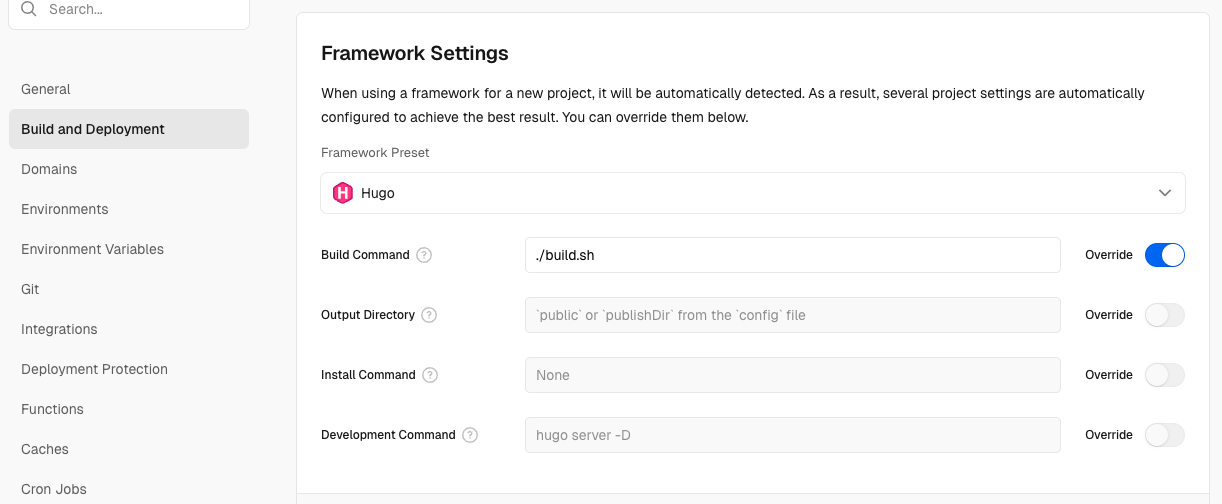
This time the build completed successfully:
Running build in Washington, D.C., USA (East) – iad1
Build machine configuration: 2 cores, 8 GB
Cloning github.com/jaroslawhartman/jhartman.pl-hugo (Branch: main, Commit: 3ce864f)
Previous build caches not available.
Cloning completed: 6.557s
Running "vercel build"
Vercel CLI 50.9.6
Installing Hugo version 0.154.5
+ GO_VERSION=1.22.2
+ GO_TAR=go1.22.2.linux-amd64.tar.gz
+ echo 'Installing Go 1.22.2'
+ curl -fsSL https://go.dev/dl/go1.22.2.linux-amd64.tar.gz -o /tmp/go1.22.2.linux-amd64.tar.gz
Installing Go 1.22.2
+ tar -C /tmp -xzf /tmp/go1.22.2.linux-amd64.tar.gz
+ export PATH=/tmp/go/bin:/vercel/path0/.vercel/cache/hugo-v0.154.5-linux-x64:/vlt/node_modules/.bin:/pnpm6/node_modules/.bin:/yarn1/node_modules/yarn/bin:/vercel/.config/yarn/global/node_modules/.bin:/ruby33/bin:/uv/python/bin:/rust/bin:/usr/local/sbin:/usr/local/bin:/usr/sbin:/usr/bin:/bun1:/node24/bin
+ PATH=/tmp/go/bin:/vercel/path0/.vercel/cache/hugo-v0.154.5-linux-x64:/vlt/node_modules/.bin:/pnpm6/node_modules/.bin:/yarn1/node_modules/yarn/bin:/vercel/.config/yarn/global/node_modules/.bin:/ruby33/bin:/uv/python/bin:/rust/bin:/usr/local/sbin:/usr/local/bin:/usr/sbin:/usr/bin:/bun1:/node24/bin
+ echo 'Go version:'
+ go version
Go version:
go: downloading go1.25.6 (linux/amd64)
go version go1.25.6 linux/amd64
+ hugo --environment production --minify --gc
Start building sites …
hugo v0.154.5-a6f99cca223a29cad1d4cdaa6a1a90508ac1da71+extended linux/amd64 BuildDate=2026-01-11T20:53:23Z VendorInfo=gohugoio
                  │ EN
──────────────────┼─────
 Pages            │ 226
 Paginator pages  │   0
 Non-page files   │   0
 Static files     │ 402
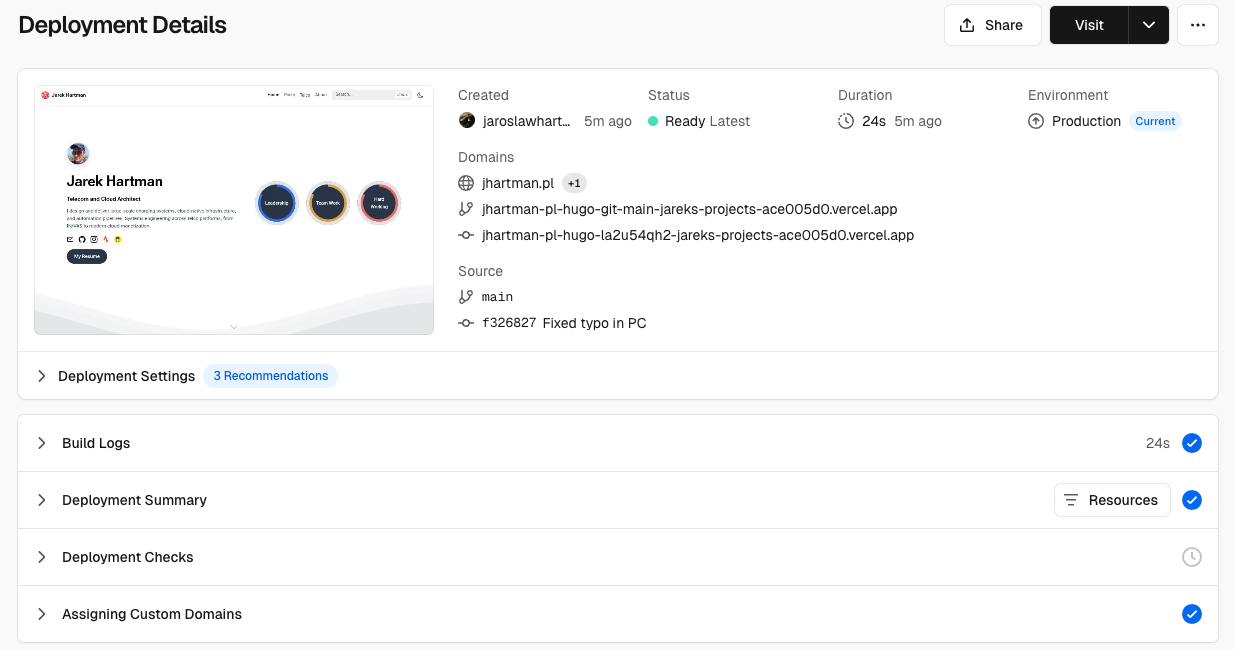
The dashboard finally went green:
Domain integration
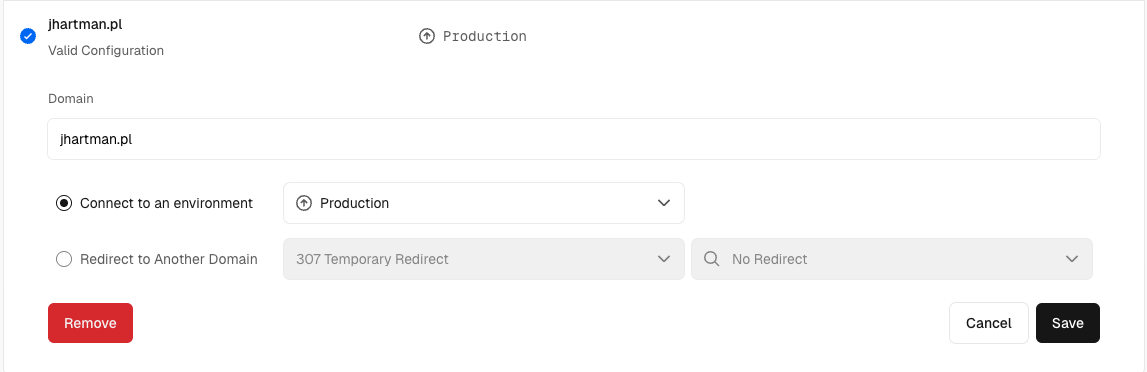
Once the build was stable, the domain part was much smoother than Cloudflare for me. I added the domain, updated DNS and Vercel handled the rest.
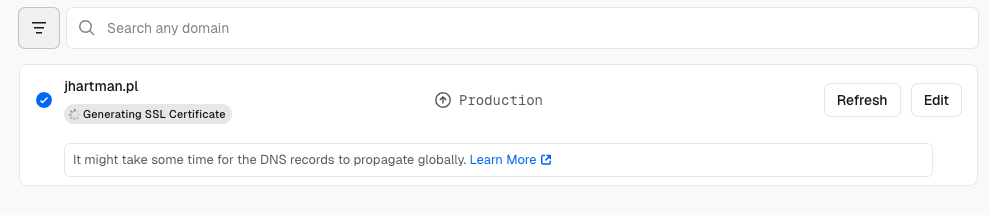
The only moment of doubt was the “Generating SSL certificate” spinner. It sat there for a few minutes without any feedback, which always makes me nervous when I’m on a fresh deployment. But it finished on its own and the site went live.
Takeaway
Vercel wasn’t plug‑and‑play for a Hugo + Modules setup. The missing Go toolchain meant I had to take control of the build pipeline. Once I did that, the experience improved quickly and the domain integration was painless. If I had to do it again, I’d start with a custom build script from day one.
But after all - it was doable and here is best proof for this: you can browse this page on the new server!
References
- Cloudflare Pages post — my previous attempt and why I switched to Vercel. Hugo on Cloudflare Pages