
Hugo on Cloudflare Pages
I went into this with a lot of optimism. Cloudflare Pages looked like the perfect fit for a Hugo site: connect GitHub, hit deploy and you’re done. That first impression was great. I connected the repo, builds ran fast and within minutes I had a working preview at https://hugo.jhartman.workers.dev/. It felt clean and almost effortless.

If the journey ended at the preview URL, I would have been completely satisfied. But for me, a “real” migration only counts once the site is live on my own domain. That’s where the experience broke down.
The part that worked well
The onboarding flow is genuinely good. Cloudflare’s GitHub integration felt smooth, the UI was clear and builds were quick. I didn’t have to fight with build settings or permissions. The shortname URL worked immediately and the site felt fast. This is what I want from a static host.
The part that failed: custom domain
As soon as I tried to attach my own domain, things got messy. The official docs describe a specific flow for adding custom domains, but the dashboard didn’t match what the docs described. I found myself jumping between pages in the UI that looked “close enough,” but the steps never aligned cleanly.
The official guide:
https://developers.cloudflare.com/pages/configuration/custom-domains/
One note in the docs stood out to me:
To ensure a custom domain is added successfully, you must go through the Add a custom domain process described above. Manually adding a custom CNAME record pointing to your Cloudflare Pages site - without first associating the domain (or subdomains) in the Cloudflare Pages dashboard - will result in your domain failing to resolve at the CNAME record address and display a 522 error.
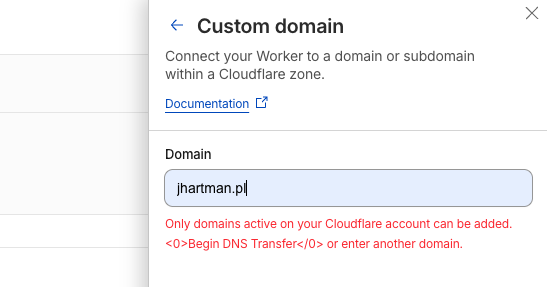
That warning is fair, but the real problem was that I couldn’t get the dashboard to accept the domain without moving the whole zone into Cloudflare. On a free plan, that was a hard stop for me.
Here’s the UI path I followed:
https://dash.cloudflare.com/?to=/:account/workers-and-pages
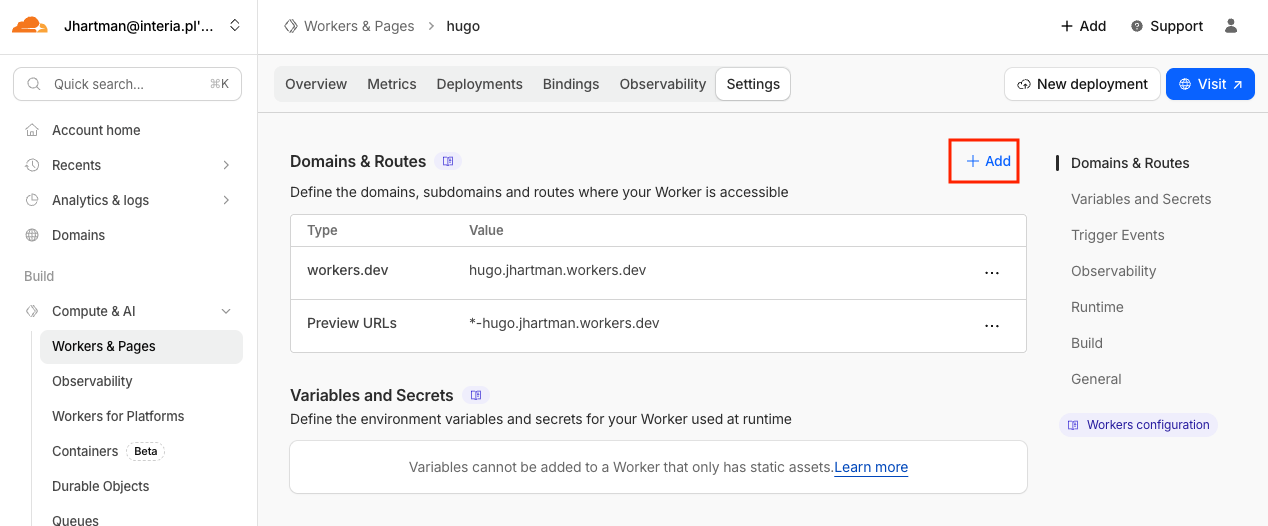
From there: select the project, go to Settings and click “+ Add.”
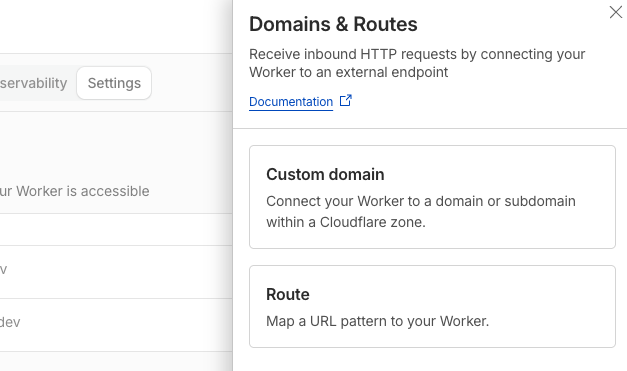
But the flow ended with a prompt to move DNS control to Cloudflare before the domain could be added, which wasn’t my plan.
Takeaway
Cloudflare Pages nails the first-time experience. If you’re happy with a preview URL or you already manage DNS inside Cloudflare, it’ll likely be excellent. For my setup, custom domain integration was the breaking point, so I moved on.
Who’s next? Let’s try Vercel… Hugo on Vercel
References
- Cloudflare Pages custom domains guide — official setup flow and constraints for custom domains. https://developers.cloudflare.com/pages/configuration/custom-domains/
- Cloudflare dashboard entry point — Workers & Pages area where the domain settings live. https://dash.cloudflare.com/?to=/:account/workers-and-pages