
DietPi upgrade Debian 11 -> 12 -> 13

Raspberry Pi on DietPi
While doing a routine update (albeit a little delayed…) on my Raspberry Pi quorum device I hit a warning I could not ignore:
[WARN ] You run an unsupported Debian version
Since DietPi v10.0, Debian 11 Bullseye is not supported anymore.
We highly recommend to upgrade your system to Debian 12 Bookworm, following this guide: https://dietpi.com/blog/?p=3128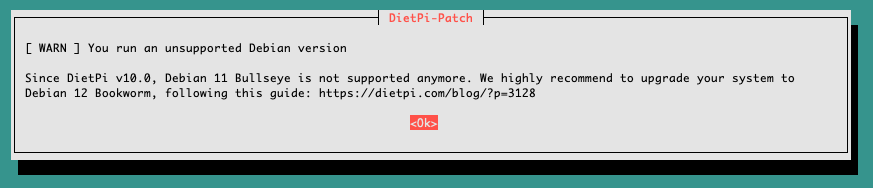
The DietPi team points to their release note for Bookworm: Debian Bookworm has been released
Debian 12 Bookworm has been released on 2023-06-10. We want to give you a brief overview and info how to install or upgrade to it, either using our DietPi Bookworm images, or by upgrading your running DietPi Bullseye system.
At first I assumed it would be a single hop to Bookworm. Later I learned it is a two step journey. The Debian 13 note makes it explicit: Debian 13 Trixie has been released
Debian does not follow the rolling release model, but is a point release distribution, which provides updates for its distributed software via major releases every two years.
So the path for a DietPi system on Bullseye is Bullseye -> Bookworm -> Trixie. I kept the upgrade scripts and walked it one release at a time.
Debian 12 upgrade
DietPi offers two approaches in the upgrade guide. I went with the scripted upgrade to keep the box intact.
We wrote a script to upgrade a DietPi Debian Bullseye system to Bookworm, as safe as possible. While flashing a fresh image is generally cleaner and recommended, we know that some of you have setups which are time consuming to replicate on a fresh system. Our script offers to create a backup, does all known needed migrations and adjustments to have your software running on the new Debian as it did before. Run the following one-liner on your console to execute it:
sudo bash -c "$(curl -sSf 'https://raw.githubusercontent.com/MichaIng/DietPi/master/.meta/dietpi-bookworm-upgrade')"It immediately asks about backup:

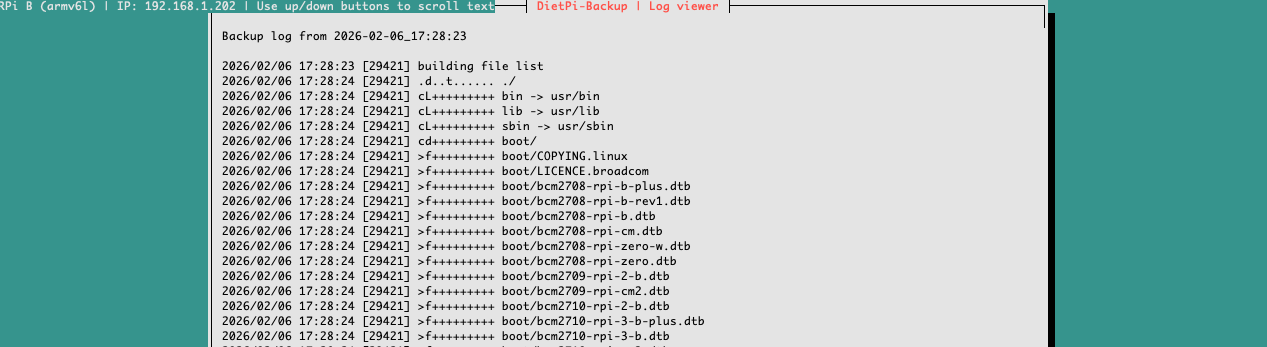
Then the Debian upgrade starts:
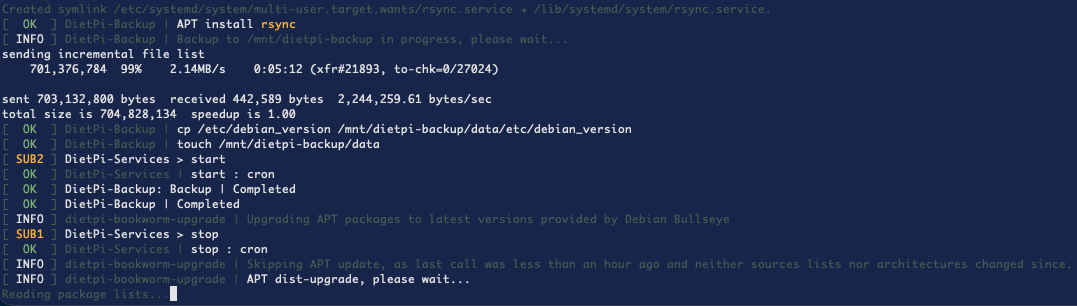
After the base upgrade, the script runs DietPi migrations and reinstalls where needed. This took a while on my slow SD card.
PRETTY_NAME="Raspbian GNU/Linux 12 (bookworm)"
NAME="Raspbian GNU/Linux"
VERSION_ID="12"
VERSION="12 (bookworm)"

Next, some migrations are done for all software to run nicely on Bookworm. This can include dietpi-software reinstalls. Press ENTER to continue or CTRL+C to abort ...
Finally done:
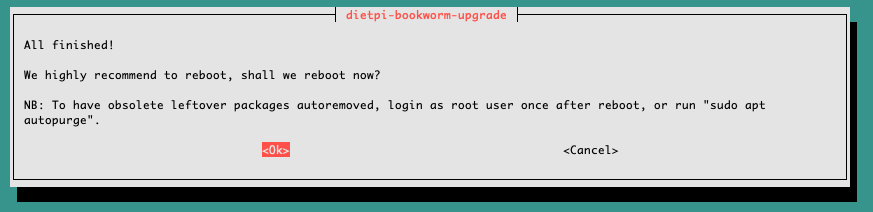
Fingers crossed during the reboot 🤞
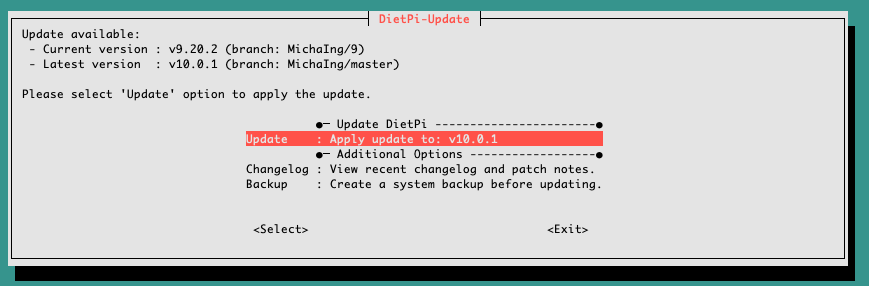
I ran dietpi-upgrade to reach v10.0.1, then moved on.
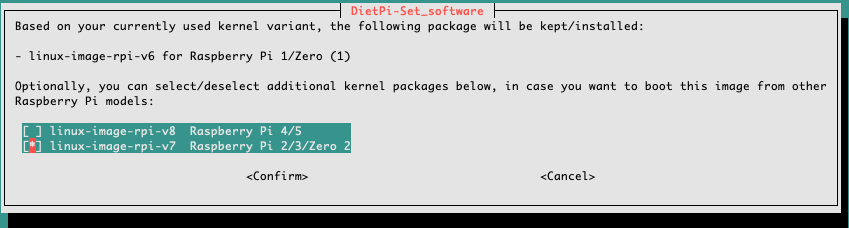
Kernel selection is important for older hardware. For my first gen Raspberry Pi I used linux-image-rpi-v6:
linux-image-rpi-v6for Raspberry Pi 1 or Zerolinux-image-rpi-v7for Raspberry Pi 2 or 3 or Zero 2linux-image-rpi-v8for Raspberry Pi 4 or 5
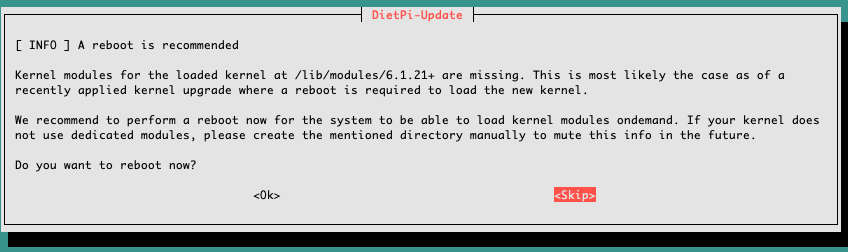
Another reboot:
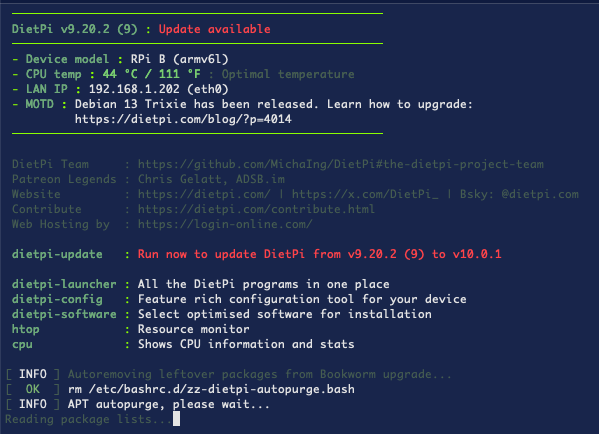
After that the system happily suggested the next upgrade:
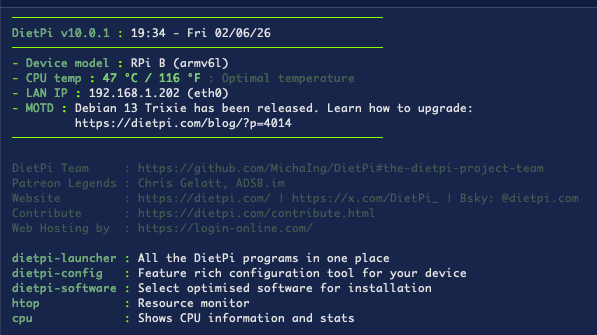
Debian 13 Trixie upgrade
The Trixie upgrade guide is similar and comes with the same warning about backups. I used their script again:
We provide a script to upgrade a DietPi Bookworm system to Trixie, as safe as possible. While starting over with a fresh image is generally cleaner, we know that some of you have setups which are time consuming to replicate on a fresh system. Our script warns you if one of the yet incompatible software options is installed on your system, offers to create a backup first, does all known needed migrations and adjustments to have your software running on the new Debian version as before. Execute the following command on your console to start the distribution upgrade:
sudo bash -c "$(curl -sSf 'https://raw.githubusercontent.com/MichaIng/DietPi/dev/.meta/dietpi-trixie-upgrade')"Backup first, as usual:
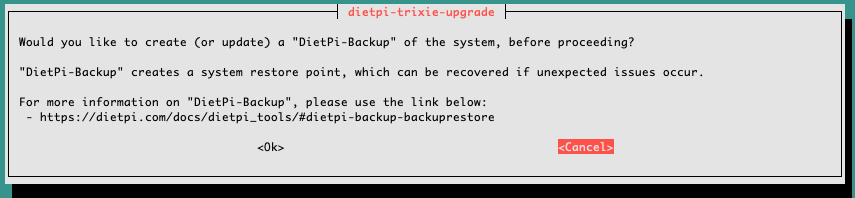
After a few minutes:

Time for migrations:
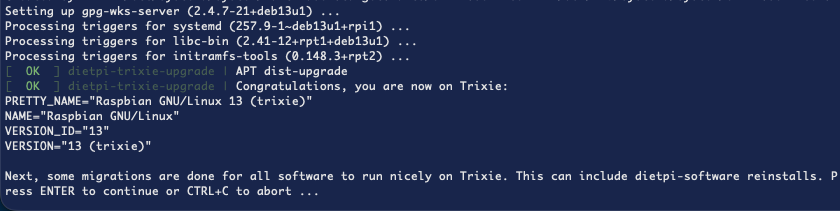
A prompt before the final reboot:
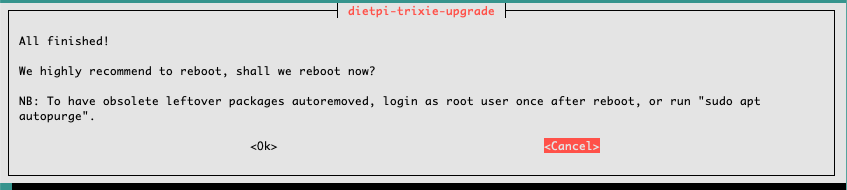
I finished with a cleanup:
[ INFO ] Autoremoving leftover packages from Trixie upgrade...
[  OK  ] rm /etc/bashrc.d/zz-dietpi-autopurge.bash
[ INFO ] APT autopurge, please wait...
Reading package lists...
Building dependency tree...
Reading state information...
The following packages will be REMOVED:
  exim4-base* exim4-config* exim4-daemon-light* firmware-linux-free*
  firmware-misc-nonfree* gcc-12-base* gnupg-utils* gpg-wks-client*
  gpg-wks-server* gpgv* libapt-pkg6.0* libargon2-1* libassuan0* libcbor0.8*
  libcryptsetup12* libevent-2.1-7t64* libfile-fcntllock-perl*
  libfile-find-rule-perl* libgdbm-compat4t64* libgdbm6t64* libgnutls-dane0t64*
  libicu72* libidn12* libip4tc2* libjson-c5* libnl-genl-3-200* libnsl2*
  libnumber-compare-perl* libperl5.40* libtext-glob-perl* libunbound8*
  libunistring2* lsb-base* netbase* perl* perl-modules-5.36*
  perl-modules-5.40* usrmerge* util-linux-extra*
0 upgraded, 0 newly installed, 39 to remove and 0 not upgraded.
...
...
Purging configuration files for util-linux-extra (2.41-5) ...
[  OK  ] APT autopurge
Sanity reboot:
root@pve3:~# shutdown -rFinal check of the upgrade
Back in the Proxmox Cluster Manager I checked that the quorum device is still healthy:
root@pve:~# pvecm status
Cluster information
-------------------
Name:             pve-cluster
Config Version:   25
Transport:        knet
Secure auth:      on

Quorum information
------------------
Date:             Fri Feb  6 17:46:48 2026
Quorum provider:  corosync_votequorum
Nodes:            1
Node ID:          0x00000001
Ring ID:          1.33c7
Quorate:          Yes

Votequorum information
----------------------
Expected votes:   3
Highest expected: 3
Total votes:      2
Quorum:           2
Flags:            Quorate Qdevice

Membership information
----------------------
    Nodeid      Votes    Qdevice Name
0x00000001          1    A,V,NMW 192.168.1.200 (local)
0x00000000          1            Qdevice
Same on the node:
root@pve:/# pvecm nodes

Membership information
----------------------
    Nodeid      Votes    Qdevice Name
         1          1    A,V,NMW pve (local)
         0          1            Qdevice